
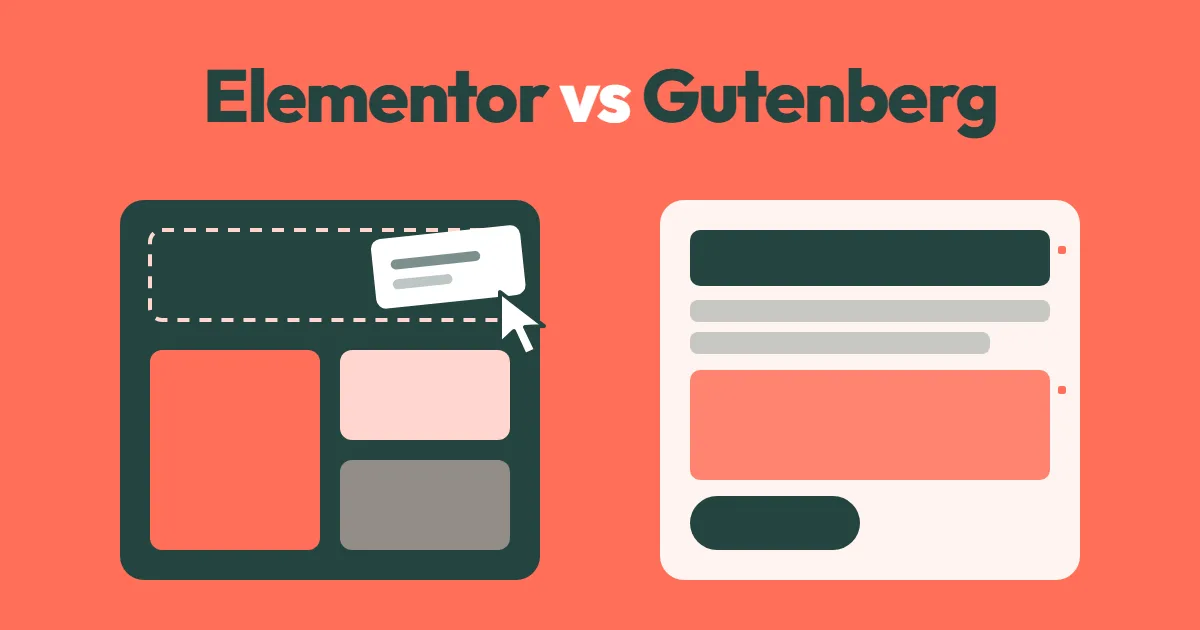
You want a WordPress site that looks good and that you can edit without calling a developer every time. Then you hit the big question: Elementor vs Gutenberg. One is the most popular page builder in the world. The other comes free with WordPress itself.
I build sites with both, and the right answer depends less on features and more on who will edit the site, how fast it needs to be and how long you plan to keep it. Here’s how to decide.
Quick answer: In the Elementor vs Gutenberg choice, Elementor is easier for visual, drag-and-drop design and has more ready-made widgets. Gutenberg, the built-in WordPress block editor, is free, lighter, faster and has no lock-in. Choose Elementor for design-heavy sites built by non-developers, and Gutenberg for fast, long-lasting business sites.
What Each One Actually Is
Gutenberg is the block editor built into WordPress since version 5.0. You build pages from blocks like headings, images, columns, buttons and groups. With a block theme, you can also edit headers, footers and templates through the Site Editor.
Elementor is a separate plugin that replaces the editing screen with a visual, drag-and-drop canvas. Its free version is installed on more than 10 million sites, according to its WordPress.org page, and Elementor Pro adds theme building, forms, popups and more widgets.
Both are popular. Among the page builders the 2025 Web Almanac detected on WordPress sites, Elementor led with 43% on mobile, while the WordPress block editor stood at 18% and was growing.
Elementor vs Gutenberg at a Glance
| Gutenberg (block editor) | Elementor | |
|---|---|---|
| Cost | Free, part of WordPress | Free version; Pro from $60 a year for one site |
| Editing style | Blocks in a document-like editor | Visual drag-and-drop canvas |
| Learning curve | Simple for content, harder for complex layouts | Easy to start, many settings to learn |
| Design freedom | Good with a block theme and patterns | Very high, pixel-level control |
| Speed | Lighter pages by default | Heavier, though newer versions load less |
| Lock-in | None, content stays clean HTML | Layouts depend on the plugin staying active |
| Forms, popups, sliders | Need extra plugins | Included in Pro |
| Best for | Blogs, business sites, long-term projects | Design-heavy sites, landing pages, fast builds |
Where Gutenberg Wins
Speed. Block content is mostly plain HTML with light styles. Page builders, as the Web Almanac notes, often create more complex page structures and larger CSS and JavaScript files. If Core Web Vitals matter to you, Gutenberg starts with an advantage. My guide on how to speed up a WordPress site explains why page weight matters so much.
No lock-in. If you switch themes or plugins later, your Gutenberg content stays readable. Turn off Elementor, and Elementor-built pages turn into a mess of plain text or vanish from the layout. That makes redesigns more expensive.
No extra cost. There’s no yearly license to renew, and nothing to break when a subscription lapses.
It’s the future of WordPress. WordPress keeps investing in blocks, patterns and the Site Editor. Many plugins and themes now build for blocks first.
Where Elementor Wins
Visual control. You see exactly what the page will look like as you build it, including mobile and tablet views. For people who think visually, that’s a big plus.
Ready-made widgets and templates. Tabs, sliders, testimonials, pricing tables, forms and popups are all in one place in Pro, so you don’t need to find a separate plugin for each.
Fast builds for designers. A skilled Elementor designer can build a polished landing page very quickly, which helps when budget and time are tight.
Large ecosystem. There are thousands of add-ons, templates, tutorials and freelancers who know it.
The Real Cost Over Three Years
The license price isn’t the only cost. Here’s what usually adds up:
| Cost | Gutenberg site | Elementor Pro site |
|---|---|---|
| Builder license | $0 | Pro renews every year |
| Extra add-on plugins | Some, for forms or sliders | Often a few add-on packs |
| Hosting needs | Works well on standard plans | May need stronger hosting to stay fast |
| Speed optimization work | Usually less | Usually more |
| Future redesign | Content moves easily | Pages often need rebuilding |
Neither option is “cheap” or “expensive” by itself. But a builder you’ll pay for, speed up and rebuild around later costs more than its license suggests.
Elementor vs Gutenberg: Which Should You Pick?
| Your situation | My pick |
|---|---|
| Small business site you’ll keep for years | Gutenberg with a block theme |
| Blog or content-heavy site | Gutenberg |
| Marketing team builds many landing pages without a developer | Elementor |
| Existing Elementor site that works well | Keep Elementor, don’t rebuild for no reason |
| Speed and Core Web Vitals are top priority | Gutenberg |
| Designer wants full visual control quickly | Elementor |
You can also mix them carefully: use Gutenberg for blog posts and most pages, and Elementor only on a few special landing pages. Just remember Elementor still loads its files where it’s used.
Switching From Elementor to Gutenberg
Moving away from Elementor means rebuilding pages, not converting them. Plan it as a small redesign:
- List every page built with Elementor.
- Pick a block theme and recreate your main layouts as reusable patterns.
- Rebuild pages one at a time on a staging site.
- Keep URLs the same so you don’t lose rankings.
- Test speed and forms, then switch live and deactivate Elementor.
If the site needs a bigger refresh anyway, my website redesign checklist walks through the full process.
Frequently Asked Questions
Is Gutenberg better than Elementor?
It depends on the job. Gutenberg is better for speed, cost and long-term flexibility, because it’s built into WordPress and leaves clean content behind. Elementor is better for visual, design-heavy pages built quickly by people who don’t code. For most small business sites I build today, Gutenberg with a good block theme is the stronger long-term choice.
Does Elementor slow down WordPress?
It can. Elementor loads extra CSS and JavaScript and creates deeper page structures than plain blocks. Newer versions load assets more selectively, and a well-optimized Elementor site can still pass Core Web Vitals. But it usually takes more effort, better hosting and careful image and caching settings than a similar Gutenberg site.
Can I use Elementor and Gutenberg on the same site?
Yes. Many sites use Gutenberg for blog posts and simple pages, and Elementor for a few complex landing pages. That works fine. Just avoid building headers, footers and every page in Elementor if you want a light site, because its files then load everywhere.
What happens if I deactivate Elementor?
Pages built with Elementor lose their layout. You usually see plain text, images and leftover content stacked down the page, without columns, styling or widgets. Your posts written in Gutenberg aren’t affected. That’s why switching away from Elementor means rebuilding those pages rather than flipping a setting.
Is Elementor vs Gutenberg important for SEO?
Neither one ranks you better on its own. Both can produce proper headings, clean URLs and good content. The SEO difference comes mainly from speed: lighter Gutenberg pages usually pass Core Web Vitals more easily, which helps user experience. Content quality, internal links and technical setup still matter far more than the editor you use.
Is Gutenberg good enough for a business website?
Yes, for most small business sites. With a modern block theme, patterns and the site editor, Gutenberg can build home pages, service pages and landing pages without a separate page builder. It also keeps pages lighter. Elementor is still easier for people who want to drag and drop complex layouts visually.
Is Elementor Pro worth paying for?
It’s worth it if you use its Pro features, such as the theme builder for headers and footers, forms, popups and dynamic content. If you only need simple pages, the free version of Elementor or Gutenberg is usually enough. Remember that Pro is a yearly licence, so include it in the total cost of your site over several years.
Final Thoughts
The Elementor vs Gutenberg decision comes down to people and time. If designers or marketers need visual control and fast landing pages, Elementor earns its place. If you want a fast, low-cost site that stays easy to move and maintain for years, Gutenberg with a block theme is the safer bet.
If you’re planning a new site and want help choosing, take a look at my WordPress website development service or send me a message about your project.


Comments
Be the first to share your thoughts or ask a question.
Leave a comment
Your email will not be published. Comments appear after review.